Features
Everything in one quiet place.
It all works offline, on your phone, with nothing to sign up for.
Dashboard · The Home Tab
Where you stand, on one screen.
Net worth first, then what the month has left.
- Net Worth, its change this month, and a line you can drag along to see any month.
- Left to Spend: one bar for what is spent and what is still to pay, a mark for today, and the days left.
- Quick Add: the entries you repeat, one tap each.
- Coming Up: bills and income due soon. Tick one to confirm it.
- Savings Goals and how far along each one is.
- The eye button hides every amount.

Transactions · Add and Activity
A few taps, then back to your day.
Expenses, income and transfers, with a calculator for a keypad.
- Your most used categories come first. Subcategories are optional.
- Payees are suggested from your history, and picking one brings its category.
- Add an account, date, note, tags or a receipt photo when you need them.
- Activity shows each month by day, on a calendar, or month by month.
- Search by payee, note, tag, category, account or amount, and filter by any of them.
- Select several transactions to change their category, account, date, payee or tags together.
- Import and export CSV files to move records in or out.

Accounts · The Accounts Tab
Every place your money is held.
And what you owe, in the same view.
- Net worth split into Assets and Liabilities.
- Your wallet of bank accounts, cash and cards as a stack, then Savings, Investments and Loans.
- Each account has a balance chart and its transactions a month at a time.
- Credit cards keep a limit, a statement day and a due day, and show what is available.
- Adjust Balance: enter what your bank says, and the difference is saved as an adjustment.
- Your own account types, such as an e-wallet, each working like one of the built-in six.
- Exclude from Totals keeps an account without counting it in net worth.

Plan · The Plan Tab
Give every amount a job.
Income, budgets, savings and investments for the month.
- Expected income, a budget for each category, and amounts for savings and investments.
- Unallocated shows what is left once everything has a job.
- Left to Spend: budgets, less what you have spent, less the bills still due this month.
- Edit Plan shows each category's average beside its budget. Auto fills in your average plus what is scheduled.
- Plan any month ahead. A budget set for a later month holds from that month on.
- Your month can start on any day from 1 to 28, or the last day, to match your payday.

Analytics · The Analytics Tab
Patterns, not advice.
What changed, described plainly. What it means is up to you.
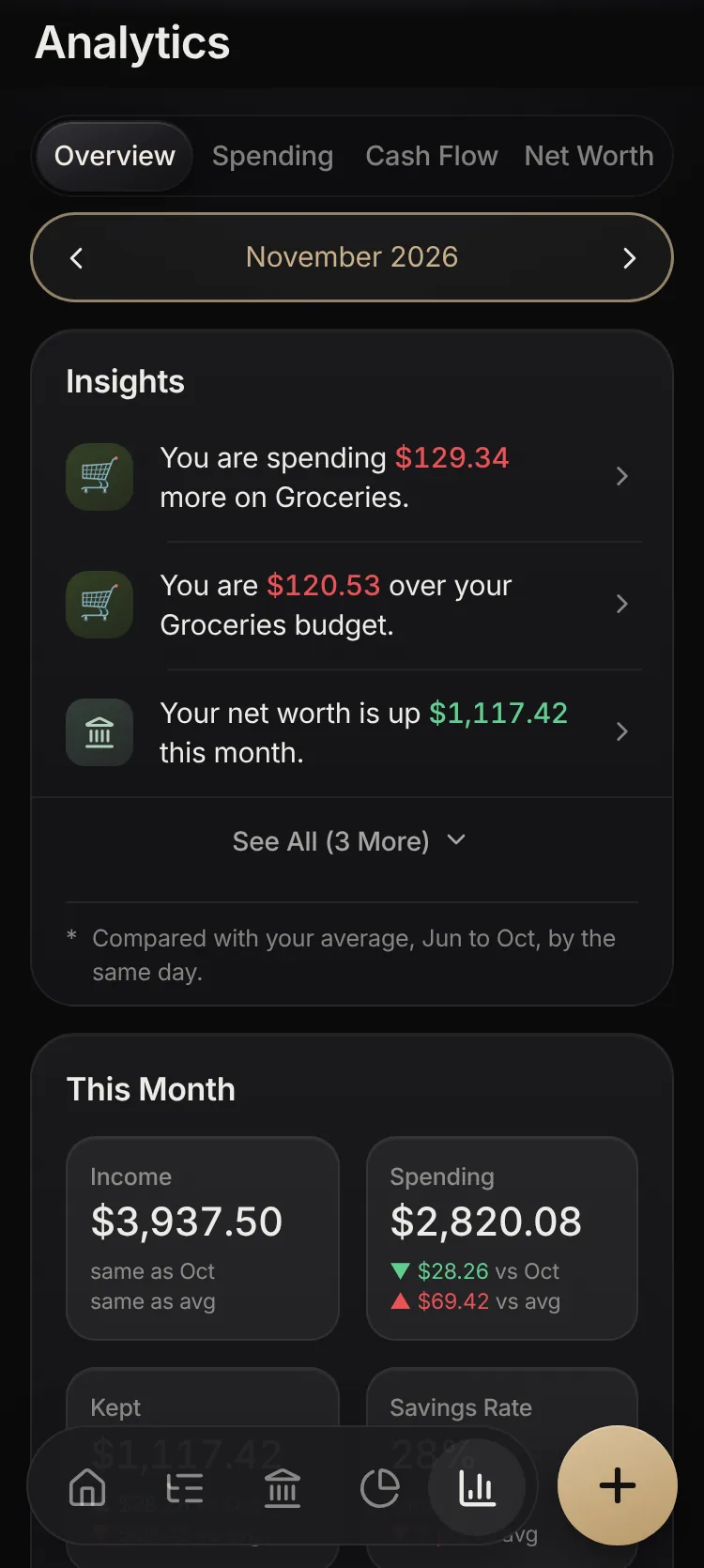
- Overview: short sentences about what changed, each opening its chart.
- Spending: categories against your usual, month by month, your pace so far, payees, accounts and tags.
- Cash Flow: money in and out, what you kept, income and recurring costs.
- Net Worth: its line over time, a breakdown, the months your savings would cover, and your goals.
- Your usual is the six finished months before. A month still under way is compared day for day, never averaged.
- Charts over time switch between 6 months, 12 months and everything.
Inside Savings Accounts
Goals
Give a savings account a target and, if you like, a date. Sinop shows how far along it is and how much a month would reach it.
Money spent from savings stays out of your budgets, since it was saved up for, and still counts in Analytics.
Coming Up
Recurring
Bills, rent and salary that repeat weekly, every two weeks, monthly or yearly, and one-off payments on a later date.
Confirm each one when it arrives, or turn on Post Automatically. Reminders are scheduled on your phone.
Your Data
Backup & Encryption
Your records are kept on your phone in encrypted storage. App Lock adds a passcode, with your fingerprint or face to unlock.
Google Drive backup saves a copy once a day after a change. Export Backup makes a file you can protect with a passphrase.